Know when your credentials surface.
Coming soon
{{PRODUCT_NAME}} tells you when your organization’s emails, domains and credentials appear in leaks and on monitored sources, so your team can reset access first.
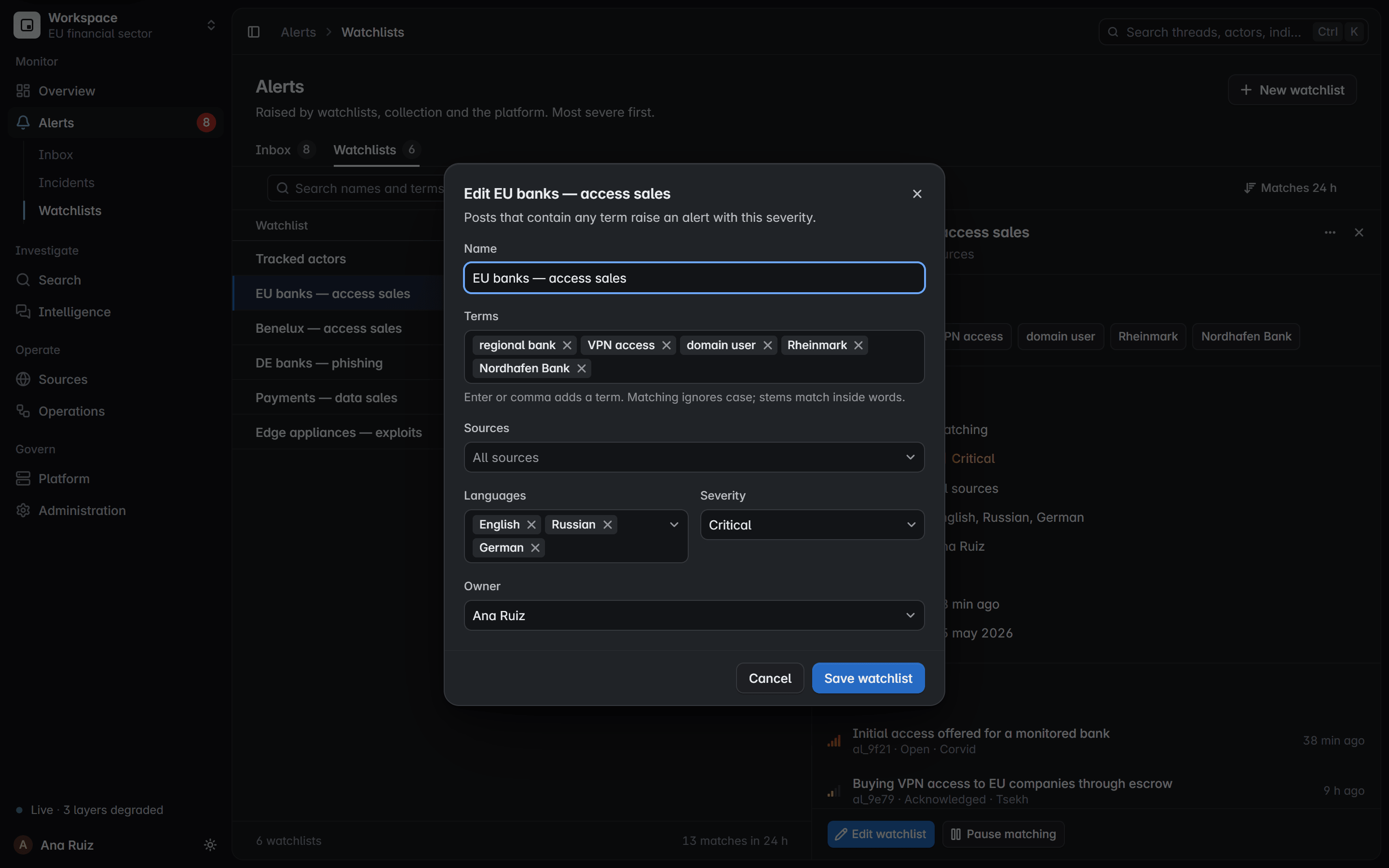
Credential monitoring for the domains you own.
Findings appear only for domains your organization has verified. Prove a domain once, and every account under it is watched, nobody else’s.
Employee accounts
Sign-ins that use an address on one of your email domains.
Watched
[@]example[.]com
Customer accounts
Credentials recorded against the sign-in pages of your own services.
Watched
hxxps://login[.]example[.]com
Your domains
Your domains named in leaked files, infostealer logs and posts on monitored sources.
Watched
example[.]comsso[.]example[.]com
Not verified
A domain you have not proven is yours returns no findings at all.
No findings
What each exposure finding tells you.
Enough to act on, and nothing more. The secret itself always stays masked.
An account on your domain1, exposed with its session cookie2 in an infostealer log on a closed forum3, seen from September 30 to October 44.
Revoke its sessions, reset the password and enforce MFA.5
Account
The affected sign-in on your verified domain, shown only to the people allowed to act on it.
[@]example[.]com
Exposure
Password, session cookie, infostealer log context or database record. The kind decides the fix; the value stays masked.
Seen on
A defanged reference and the type of source, such as a closed forum, an onion service or a leak site.
hxxps://forum[.]example[.]net/…
First and last seen
How long the account has been exposed, and whether it is still being seen.
Action
The step that closes the exposure, so the owner can act before the access is used.
From a leaked credential to a reset.
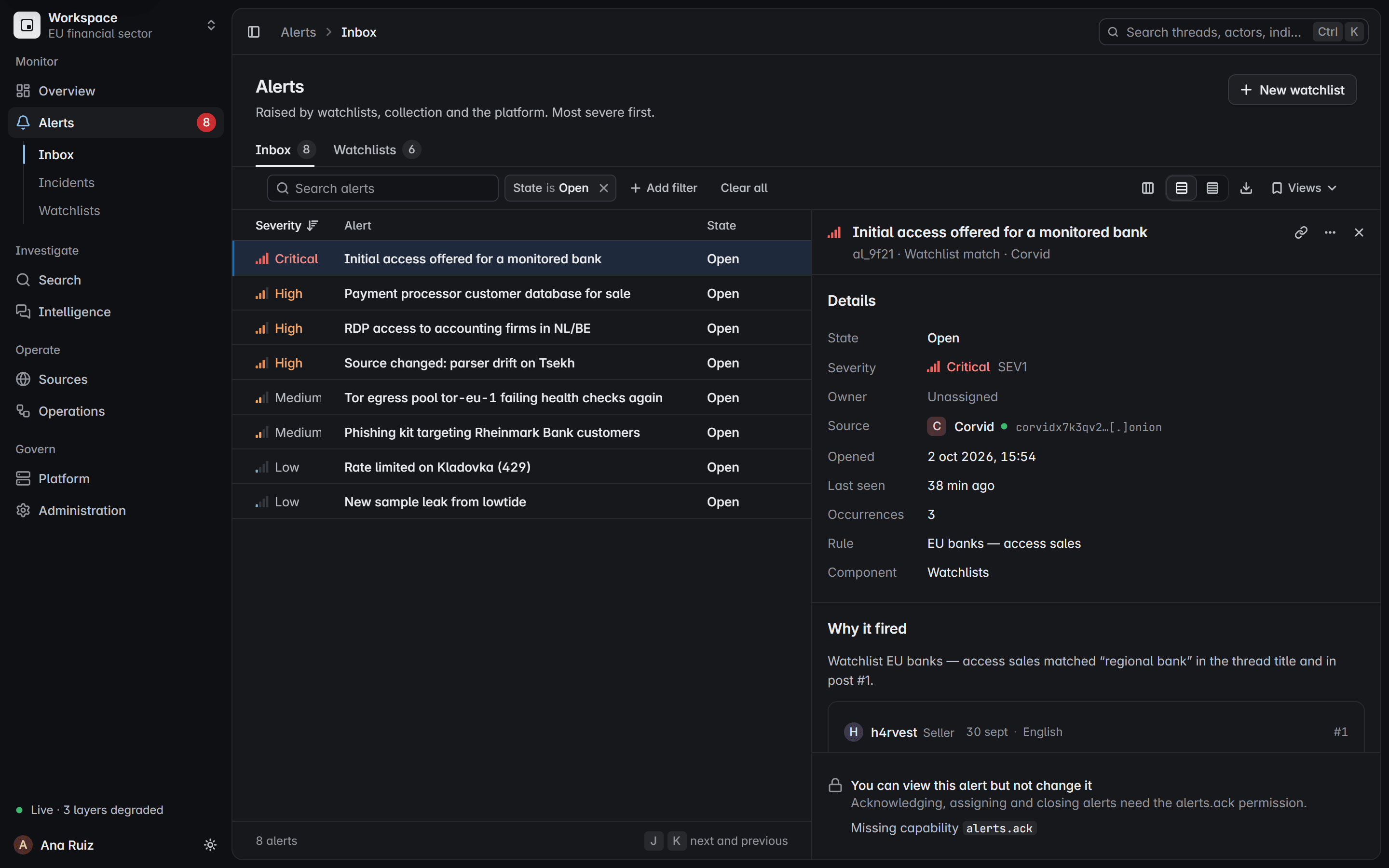
Exposure findings will arrive where your team already works: watchlists, alerts and incidents, each with an owner, a state and a reason.
Watchlist
Your verified domains sit on a watchlist, matched by exact rule against new and past collections.

Alert
A match opens an alert with its severity, its source, an owner and the reason it fired.
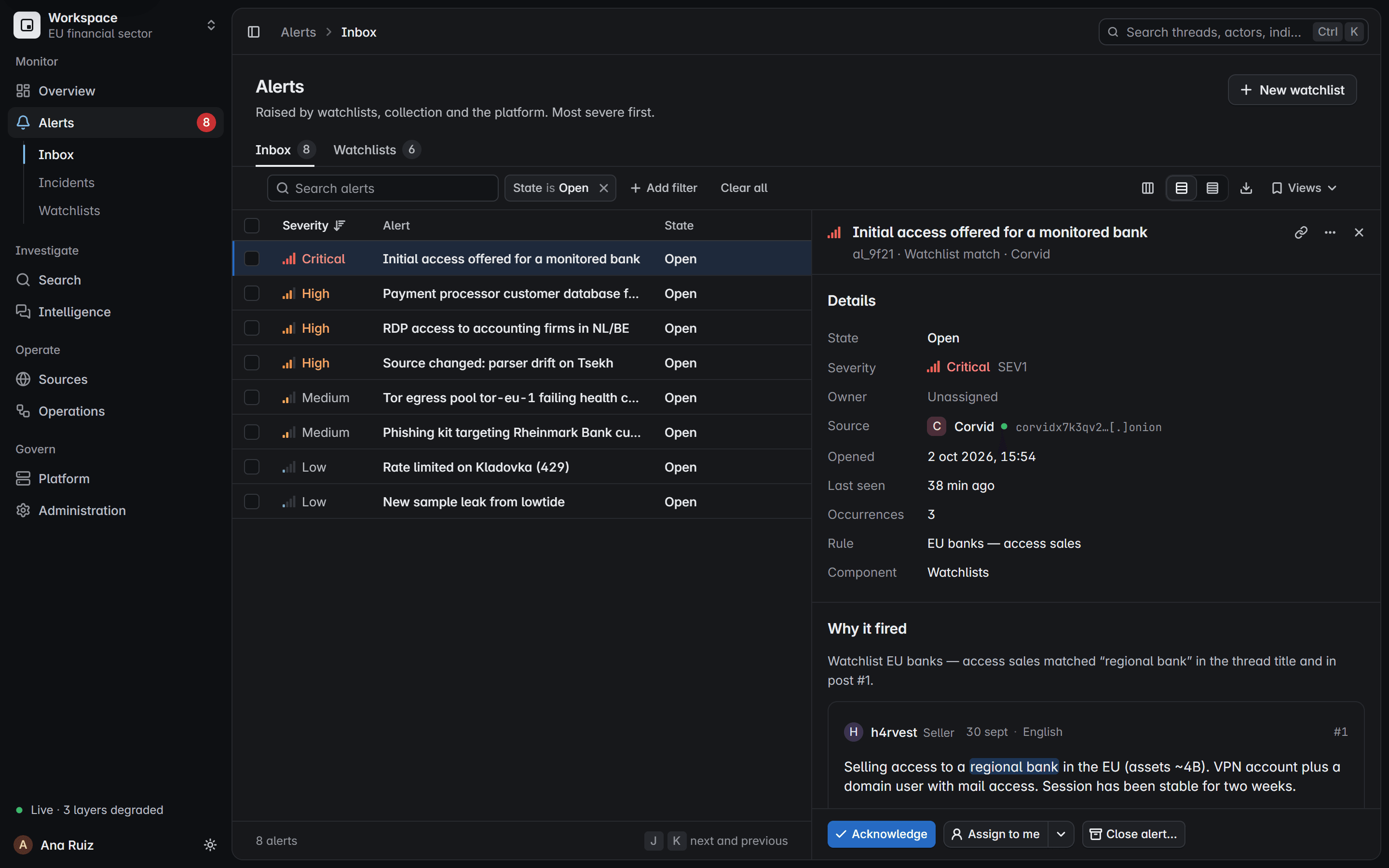
Incident
Related alerts group into one incident with its own owner and state. Each alert keeps its own.

Reset and close
Your team resets the password, revokes sessions and enforces MFA, then closes the alert with a reason.
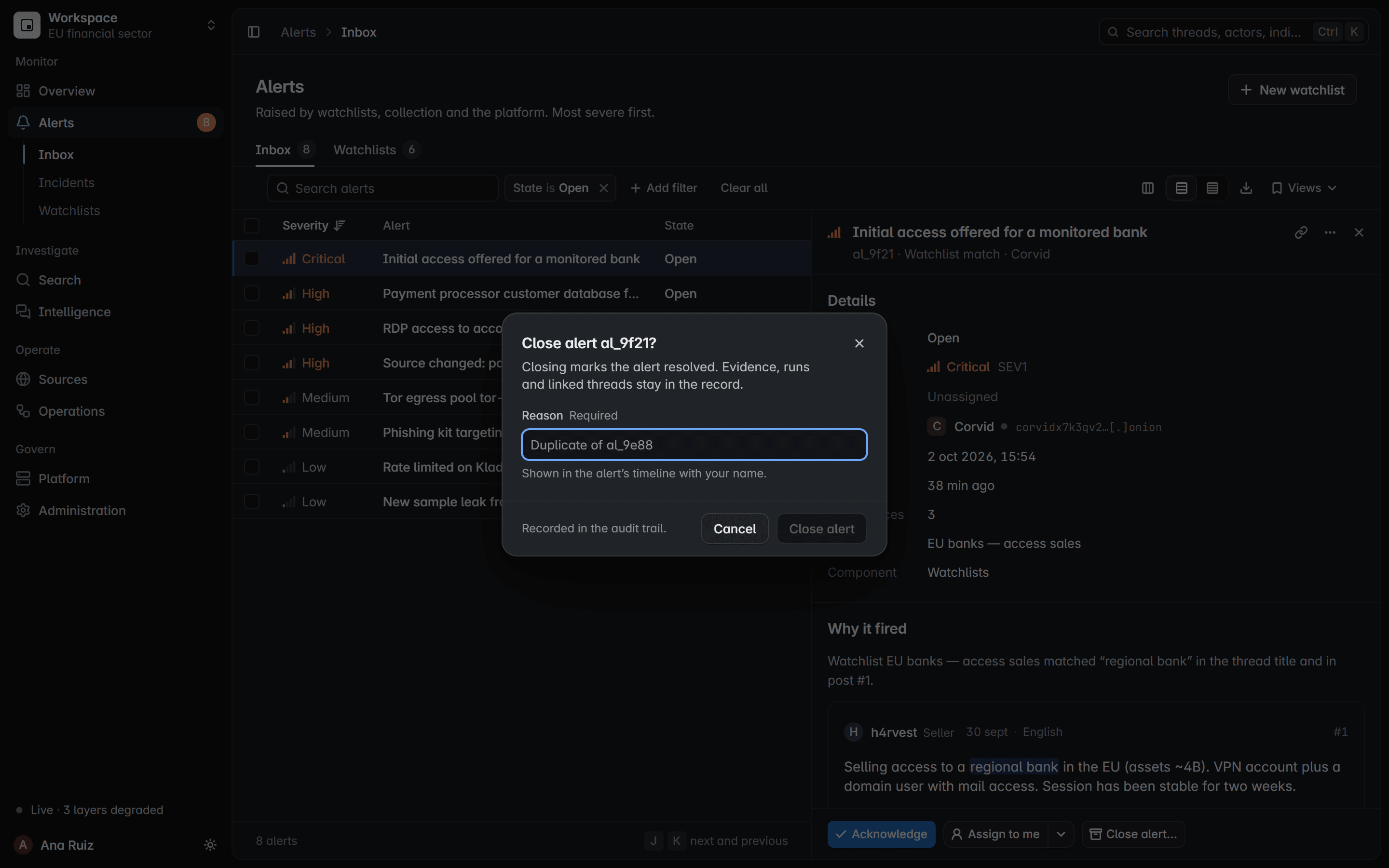
Alerts can also reach your own tools by webhook.
Product screen with fictional data
Credentials only when the structure proves it.
The parser reads leaked files as they are laid out. A value counts as a credential only when its own record proves it.
Sign-in identifierSecret, always masked
Read as credentials
Combo lists
addresspasswordnote
Address and password pairs, in either order, with or without a note.
Credential
Database exports
row idaddresspassword
Rows of a user table, exported with their key first.
Credential
Sign-in records
siteloginpassword
A site, a login and a password, whichever way round the login and password come.
Credential
Cookie files
cookie domainpathexpirynamevalue
Browser cookie exports, read as session material and never as logins.
Session material
Infostealer logs
passwordscookiesautofillsystem
One device’s log folder, attributed only when its structure is unambiguous.
One device
Never read as credentials
Contact lists
addressname
A name beside an address never becomes a password.
Contact
Phone lists
addressphone
An address beside a number stays a contact, never a credential.
Contact
Address and site lists
addresssite
An address beside a site is not a sign-in.
Not a sign-in
Bookmarks and history
pagetitle
Inside an infostealer log, a saved or visited page is never read as a sign-in.
Not a sign-in
- Headers in many languages map to the same fields:contraseña, Passwort, senha, wachtwoord
- Passwords, cookies and tokens are never indexed for search.
- A login on a list proves neither ownership nor working access.
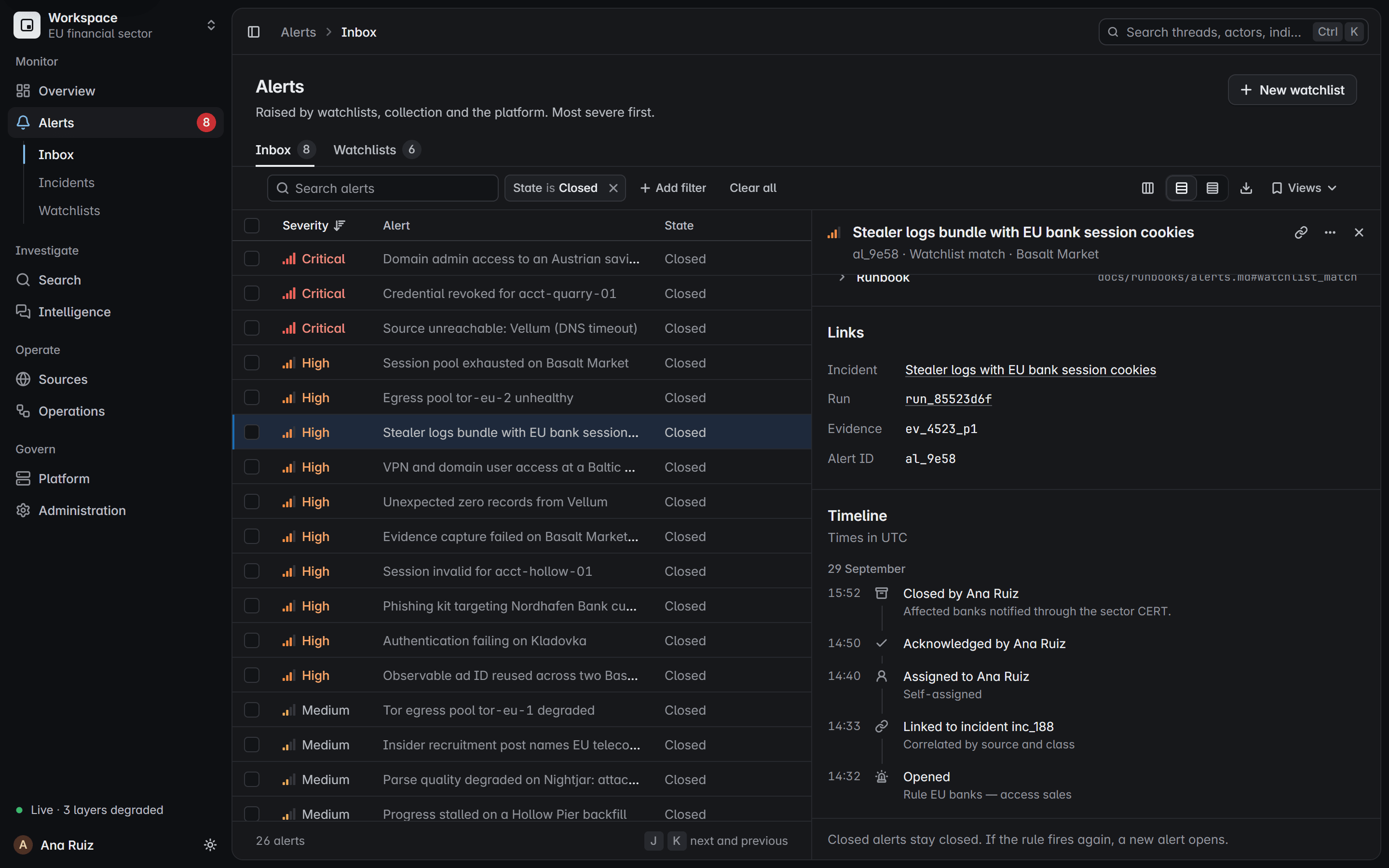
Provenance you can show an auditor.
Every finding links back to the source, the run that collected it and the evidence behind it, kept as it was collected.
Source
Collected only from sources your team is authorized to monitor.
Incident
Related alerts group into one incident, so a single response covers all of them.
Collection run
Each run is recorded, and every page it reads is sealed with a SHA-256 fingerprint.
Evidence
Files come through the downloader, checksummed, and are kept only when their bytes match.
How the downloader worksParsed record
The parser reads each file without running it and keeps the file, row and label behind every value.
How the parser worksTimeline
Who took it, who acknowledged it and who closed it, with the reason and the time in UTC.
Masked. Verified. Audited. Never shared.
These safeguards are part of the design, not settings someone has to remember.
Masked
Passwords, cookies and tokens stay masked. They are never indexed for search or shown in a finding.
Verified
Findings appear only for domains your organization has proven it owns.
Audited
Who opened a finding, and who acted on it, is recorded in the audit trail.
Never shared
Exposure data stays in your own deployment. It is never sold, shared or redistributed.
Role-controlled
Viewer, analyst, operator and admin roles decide who can see a finding and who can close it.
Authorized sources
Collection comes only from sources your team is authorized to monitor.
See it on your own sources.
Tell us what you need. We will walk you through a live capture, from post to sealed record.
Prefer email? Write to {{CONTACT_EMAIL}}.